Helix
Status: Implemented
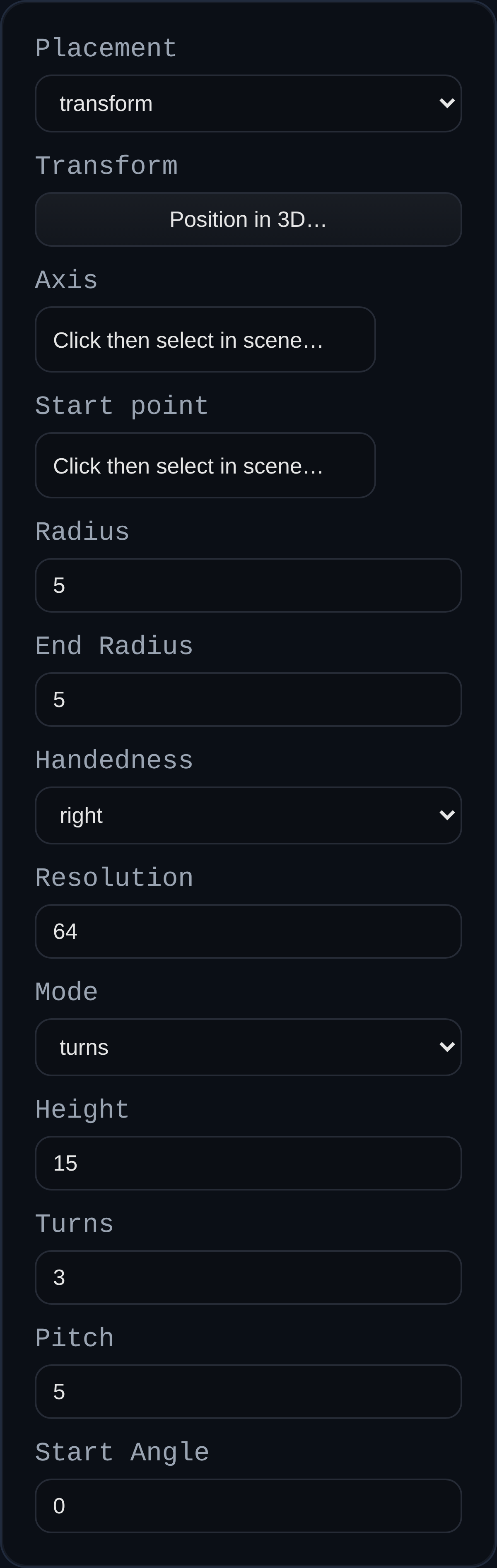
Helix creates a parametric helical curve you can reuse as a path for sweeps, tubes, or thread features. Geometry generation is delegated to the BREP kernel (buildHelixPolyline) so the same code can drive downstream operations and maintain consistent handedness/segmenting.
Inputs
radius– Base radius of the helix.endRadius– Optional end radius for tapering.mode– Choose whetherturnsorpitchdrives total length (height is always applied).pitch– Distance advanced per turn along the axis (editable inpitchmode; derived inturnsmode).turns– Number of turns (used inturnsmode; derived inpitchmode).height– Total height along the axis.startAngle– Starting angle in degrees.handedness– Choose right- or left-handed winding.resolution– Segments per turn for the preview polyline.placementMode– Usetransformor align to anaxis+startPoint.axis– Edge selection for the helix axis (when using axis placement).startPoint– Optional start point when using axis placement.transform– Position, rotation, and scale (when using transform placement).
Behaviour
- Computes helix points in the kernel for consistent reuse (threads, path-driven features).
- Builds an EDGE with world-space
polylineLocaldata, plus helper axis/endpoint edges. - Axis placement derives origin/direction from the selected edge, optionally using a chosen start point.
- Stores the generated helix data in
persistentData.helixfor later edits or inspection.